POLÍTICA DE COOKIES
Bienvenida/o a la POLÍTICA DE COOKIES de la página web de la entidad LEVAN KHACHATUROV, provista de NIF Y4206219Q, donde te explicaremos en un lenguaje claro y sencillo todas las cuestiones necesarias para que puedas tener el control sobre ellas en base a tus decisiones personales.
- ¿QUÉ SON LAS COOKIES Y PARA QUÉ LAS USAMOS?
Una cookie o galleta informática es un pequeño archivo de información que se guarda en tu ordenador, “smartphone” o tableta cada vez que visitas nuestra página web.
En principio, una cookie es inofensiva: no contiene virus, troyanos, gusanos, etc. que puedan dañar tu terminal, pero sí tiene cierto impacto sobre tu derecho a la protección de tus datos personales, pues recoge determinada información concerniente a tu persona (hábitos de navegación, identidad, preferencias, etc.).
Es por ello que, en base a lo establecido en la normativa aplicable (LSSI y normativa vigente de protección de datos personales), la activación de determinados tipos de cookies necesitará de tu autorización previa.
Antes de ello, te daremos alguna información adicional que te ayudará a una mejor toma de decisiones al respecto:
- Las cookies pueden ser de varios tipos en función de su finalidad:
- Las cookies técnicas son necesarias para que nuestra página web pueda funcionar, no necesitan de tu autorización y son las únicas que tenemos activadas por defecto.
- El resto de cookies sirven para mejorar nuestra página, para personalizarla en base a tus preferencias, o para poder mostrarte publicidad ajustada a tus búsquedas, gustos e intereses personales. Puedes aceptar todas estas cookies pulsando el botón ACEPTAR o configurarlas o rechazar su uso clicando en el apartado CONFIGURACIÓN DE COOKIES.
- Algunas cookies son nuestras (las denominaremos cookies propias) y otras pertenecen a empresas externas que prestan servicios para nuestra página web (las denominaremos cookies de terceros: un ejemplo podrían ser las cookies de proveedores externos como Google). En este sentido, es importante que sepas que algunos de dichos proveedores externos pueden estar ubicados fuera de España.
A nivel mundial, no todos los países tienen un mismo nivel de protección de datos, existiendo algunos países más seguros que otros (por ejemplo, la Unión Europea es un entorno seguro para tus datos). Nuestra política es recurrir a proveedores confiables que, con independencia de que se encuentren o no ubicados en la Unión Europea, hayan adoptado las garantías adecuadas para la protección de tu información personal. No obstante, en el apartado denominado ¿QUÉ TIPO DE COOKIES SE UTILIZAN ACTUALMENTE EN NUESTRA PÁGINA WEB?, puedes consultar las distintas Políticas de privacidad y protección de datos de cada uno de los referidos proveedores externos, a fin de tomar una decisión consciente sobre la activación o no de las cookies de terceros que utiliza nuestra página web.
- Finalmente, indicarte que, en función del plazo de tiempo que permanecen activas, las cookies pueden ser de dos tipos:
- Cookies de sesión: expiran automáticamente cuando terminas la sesión en tu ordenador, “smartphone” o tableta. Suelen emplearse para conservar la información necesaria mientras se te presta un servicio en una sola ocasión.
- Cookies persistentes: permanecen almacenadas en tu ordenador, “smartphone” o tableta durante un periodo determinado, que puede variar desde unos minutos hasta varios años.
¿QUÉ TIPO DE COOKIES PODEMOS UTILIZAR EN NUESTRA PÁGINA WEB?
Cookies Técnicas:
Las cookies técnicas son estrictamente necesarias para que nuestra página web funcione y puedas navegar por la misma. Este tipo de cookies son las que, por ejemplo, nos permiten identificarte, darte acceso a determinadas partes restringidas de la página si fuese necesario, o recordar diferentes opciones o servicios ya seleccionados por ti, como tus preferencias de privacidad. Por ello, están activadas por defecto, no siendo necesaria tu autorización al respecto.
A través de la configuración de tu navegador, puedes bloquear o alertar de la presencia de este tipo de cookies, si bien dicho bloqueo afectará al correcto funcionamiento de las distintas funcionalidades de nuestra página web.
Cookies de Análisis:
Las cookies de análisis nos permiten estudiar la navegación de los usuarios de nuestra página web en general (por ejemplo, qué secciones de la página son las más visitadas, qué servicios se usan más y si funcionan correctamente, etc.).
A partir de la información estadística sobre la navegación en nuestra página web, podemos mejorar tanto el propio funcionamiento de la página como los distintos servicios que ofrece. Por tanto, estas cookies no tienen una finalidad publicitaria, sino que únicamente sirven para que nuestra página web funcione mejor, adaptándose a nuestros usuarios en general. Activándolas contribuirás a dicha mejora continua.
Puedes activar o desactivar estas cookies marcando la casilla correspondiente, estando desactivadas por defecto.
Cookies de Funcionalidad y Personalización:
Las cookies de funcionalidad nos permiten recordar tus preferencias, para personalizar a tu medida determinadas características y opciones generales de nuestra página web, cada vez que accedas a la misma (por ejemplo, el idioma en que se te presenta la información, las secciones marcadas como favoritas, tu tipo de navegador, etc.).
Por tanto, este tipo de cookies no tienen una finalidad publicitaria, sino que activándolas mejorarás la funcionalidad de la página web (por ejemplo, adaptándose a tu tipo de navegador) y la personalización de la misma en base a tus preferencias (por ejemplo, presentando la información en el idioma que hayas escogido en anteriores ocasiones), lo cual contribuirá a la facilidad, usabilidad y comodidad de nuestra página durante tu navegación.
Puedes activar o desactivar estas cookies marcando la casilla correspondiente, estando desactivadas por defecto.
Cookies de Publicidad:
Las cookies de publicidad nos permiten la gestión de los espacios publicitarios incluidos en nuestra página web en base a criterios como el contenido mostrado o la frecuencia en la que se muestran los anuncios.
Así por ejemplo, si se te ha mostrado varias veces un mismo anuncio en nuestra página web, y no has mostrado un interés personal haciendo clic sobre él, este no volverá a aparecer. En resumen, activando este tipo de cookies, la publicidad mostrada en nuestra página web será más útil y diversa, y menos repetitiva.
Puedes activar o desactivar estas cookies marcando la casilla correspondiente, estando desactivadas por defecto.
Cookies de Publicidad Comportamental:
Las cookies de publicidad comportamental nos permiten obtener información basada en la observación de tus hábitos y comportamientos de navegación en la web, a fin de poder mostrarte contenidos publicitarios que se ajusten mejor a tus gustos e intereses personales.
Para que lo entiendas de manera muy sencilla, te pondremos un ejemplo ficticio: si tus últimas búsquedas en la web estuviesen relacionadas con literatura de suspense, te mostraríamos publicidad sobre libros de suspense.
Por tanto, activando este tipo de cookies, la publicidad que te mostremos en nuestra página web no será genérica, sino que estará orientada a tus búsquedas, gustos e intereses, ajustándose por tanto exclusivamente a ti.
Puedes activar o desactivar estas cookies marcando la casilla correspondiente, estando desactivadas por defecto.
¿QUÉ TIPO DE COOKIES SE UTILIZAN ACTUALMENTE EN NUESTRA PÁGINA WEB?
A continuación, procedemos a informarte sobre todos los tipos de cookies que actualmente se utilizan en nuestra página web y la finalidad de cada una de las mismas
| Nombre de la cookie |
Finalidad |
Cuándo y cómo se guarda |
| wordpress_test_cookie |
En esta cookie WordPress comprueba y guarda si las cookies están activadas en el navegador. Técnica de sesión. Necesaria. |
30 días |
| wordpress_[hash] |
Cookie restringida al área de administración (wp-admin). No se ve en el frontend incluso estando registrado. Guarda tus datos de acceso. Técnica de sesión. Necesaria. |
30 días |
| wordpress_sec_[hash] |
Lo mismo que la anterior (de hecho creo que la sustituye). Necesaria. |
30 días |
| wordpress_logged_in_[hash] |
Guarda quien eres mientras estás registrado y lo usa WordPress para su interfaz. Técnica de sesión. Necesaria. |
30 días |
| wp-settings-{time}-[UID] |
Guarda tus configuraciones de la zona de administración e incluso del frontend. UID es tu ID de usuario en WordPress. Técnica persistente. Tiempo por defecto 1 año. Necesaria. |
30 días |
| wp-settings-[UID] |
Como la anterior. Guarda tus configuraciones de la zona de administración e incluso del frontend. UID es tu ID de usuario.
Técnica persistente. Tiempo por defecto 1 año. |
30 días |
| wp-postpass_[hash] |
Cookie donde se guarda el acceso a páginas protegidas con contraseña. Técnica persistente. Tiempo por defecto 10 días. |
30 días |
| comment_author_[hash] |
Para recordar el nombre del que realiza el comentario. Técnica persistente. |
Duración 347 días |
| comment_author_email_[hash] |
Para recordar el email del que realiza el comentario. Técnica persistente. |
Duración 347 días |
| comment_author_url_[hash] |
Para recordar la url del que realiza el comentario |
Duración 347 días |
| wp-settings-{user_id} |
Se usa para mantener la configuración del usuario en wp-admin |
Duración 365 días |
| wporg_logged_in wporg_sec |
Se usa para mantener la configuración del usuario en wp-admin |
14 días si seleccionas «Recuérdame» cuando accedes. De lo contrario, el tiempo de sesión. |
| wporg_locale |
Usado para mantener la configuración del idioma local del usuario. |
Duración 365 días |
| Sesión |
Registrar las entradas de datos del usuario en la web. Propietario: Audidat 3.0, SLU |
Cuando el usuario rellena un formulario |
| De autenticación de usuarios |
Identificarle como usuario registrado y permitirle la navegación por los distintos contenidos de la web.Propietario: Audidat 3.0, SLU |
Únicamente mientras dure la sesión |
| Plug-in de redes sociales |
Permitir al usuario compartir contenidos con miembros de una determinada red social.Propietario: Red social que pone la cookie (Twitter Inc., Facebook Inc., …) |
Cuando hay algún plugin o botón de compartir en alguna red social |
| Google Analytics |
Para realizar las estadísticas de uso de la web utilizamos las cookies con la finalidad de conocer el nivel de recurrencia de nuestros visitantes y los contenidos que resultan más interesantes. De esta manera podemos concentrar nuestros esfuerzos en mejorar las áreas más visitadas y hacer que el usuario encuentre más fácilmente lo que busca.En el Sitio Web puede utilizarse la información de su visita para realizar evaluaciones y cálculos estadísticos sobre datos anónimos, así como para garantizar la continuidad del servicio o para realizar mejoras en sus sitios Web.Para más detalles, consulte en el siguiente enlace la política de privacidad http://www.google.com/intl/es/policies/privacy/Propietario: Google Inc. |
Cuando accede a la página y se aceptan las cookies de análisis |
| fbp |
Cookie que mide el rendimiento de la publicidad de Facebook. Es persistente y dura 1 día. |
24 horas |
| fr, sb |
Cookies que miden el rendimiento de la publicidad de Facebook. Son cookies persistentes |
|
| Pixel |
Cookie que permite ofrecer a los visitantes del sitio web publicidad personalizada en su plataforma a partir de los datos relativos a las cabeceras http, el píxel (ID, cookie de Facebook), y registrar y comunicar a Facebook las acciones del usuario en el sitio web. |
|
| _ga |
Cookie analítica que permite la función de control de visitas únicas. Es persistente y tiene una duración de 2 años. |
2 años |
| gat |
Cookie analítica para limitar el número de peticiones. Su ámbito es la sesión y tiene una duración de 1 minuto. |
1 minuto |
| gid |
Cookie analítica para distinguir a los usuarios. Su ámbito es la sesión y tiene una duración de 24 horas. |
24 horas |
¿QUÉ PUEDES HACER CON LAS COOKIES?
Cuando accedes por primera vez a nuestra página web, se te muestra una ventana en la que te informamos que las cookies pueden ser de varios tipos:
- Las cookies técnicas son necesarias para que nuestra página web pueda funcionar, no necesitan de tu autorización y son las únicas que tenemos activadas por defecto.
- El resto de cookies sirven para mejorar nuestra página, para personalizarla en base a tus preferencias, o para poder mostrarte publicidad ajustada a tus búsquedas, gustos e intereses personales. Puedes aceptar todas estas cookies pulsando el botón ACEPTAR o configurarlas o rechazar su uso clicando en el apartado CONFIGURACIÓN DE COOKIES.
Informarte también que, una vez que hayas activado cualquier tipo de cookies, tienes la posibilidad de desactivarlas en el momento que desees, con el simple paso de desmarcar la casilla correspondiente en el apartado CONFIGURACIÓN DE COOKIES de nuestra página web. Siempre será tan sencillo para ti activar nuestras cookies propias como desactivarlas.
Recordarte asimismo que, a través de la configuración de tu navegador, puedes bloquear o alertar de la presencia de cookies, si bien dicho bloqueo puede afectar al correcto funcionamiento de las distintas funcionalidades de nuestra página web en el caso de las cookies técnicas necesarias.
Por último, indicarte que, si activas cookies de terceros (empresas externas que prestan servicios para nuestra página web) y posteriormente deseas desactivarlas, podrás hacerlo de dos formas: usando las herramientas de desactivación de cookies de tu navegador o a través de los propios sistemas habilitados por dichos proveedores externos.
Para que te sea mucho más fácil, a continuación te relacionamos una serie de enlaces a las pautas de desactivación de cookies de los navegadores de uso común:
Así mismo, te relacionamos los enlaces a los sistemas propios habilitados por cada uno de los referidos proveedores externos para la desactivación de sus cookies
Muchas gracias por tu colaboración

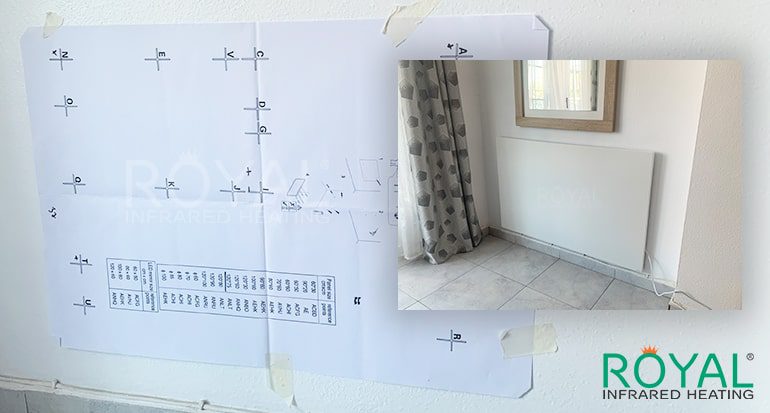
 Mounting brackets